Replit Integration
Send ChatPRD-generated content directly to Replit for development and testing
The Open in Replit integration allows you to send your ChatPRD-generated content directly to Replit for immediate development and testing. This seamless workflow helps you transform product requirements into working code prototypes.
What is Replit?
Replit is a collaborative browser-based IDE that allows you to write, run, and deploy code instantly. With the ChatPRD integration, you can generate code from requirements and specifications, create working prototypes from PRDs, test and run code without leaving your workflow, and share interactive code examples with your team.
How to Use Open in Replit
Accessing the Feature
- In any ChatPRD conversation, generate content that includes code or technical specifications.
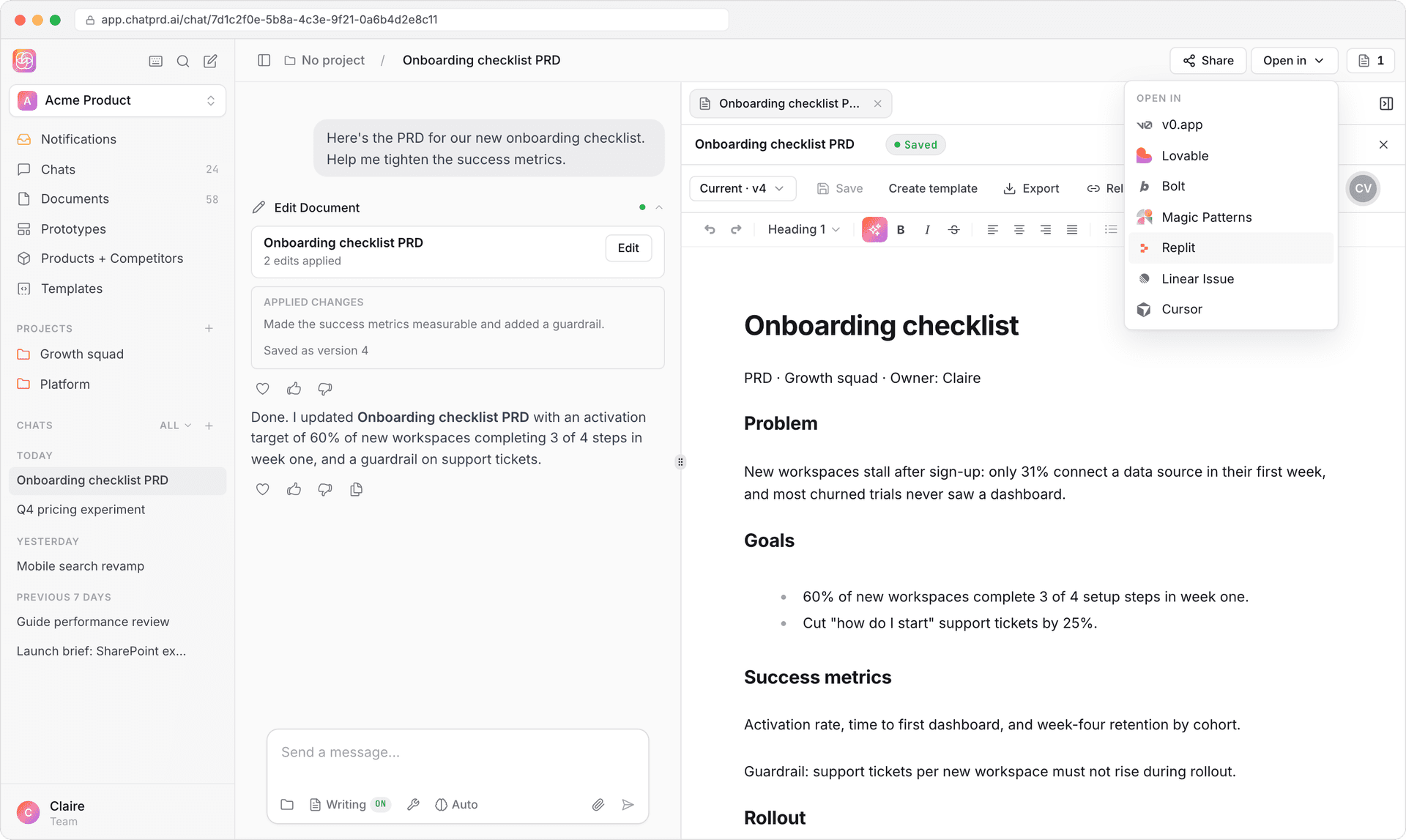
- Look for the Open in dropdown button in the interface.
- Click the dropdown and select Replit from the list of available platforms.
What Happens When You Click
When you select Replit, ChatPRD will compress your content using AI to optimize it for Replit's requirements, generate a Replit URL with your content embedded, and open Replit in a new tab with your content ready to use.
Supported Content Types
The Replit integration works best with code snippets and examples, technical specifications, API designs, component implementations, and scripts and utilities.
Use Cases
Prototyping from PRDs
Transform your product requirements into working prototypes. Ask ChatPRD to generate code based on your PRD, then open it in Replit to run and test immediately.
Code Examples for Documentation
Create working code examples that stakeholders can run and explore. Perfect for technical documentation and API guides.
Technical Spikes
Validate technical approaches quickly by generating proof-of-concept code and testing it in Replit's environment.
Tips for Best Results
- Be specific: Provide clear requirements when asking ChatPRD to generate code
- Include context: Share relevant technical constraints or preferences
- Iterate: Use Replit to test, then return to ChatPRD to refine
Requirements
- Open in Replit is rolling out gradually. If you do not see Replit in the Open in menu, it is not on for your workspace yet
- Replit account (free or paid)
Troubleshooting
If the Replit link doesn't open correctly, try refreshing the page and generating the content again. For large code files, consider breaking them into smaller components. If you encounter issues with specific programming languages, verify that Replit supports the language you're using.