Document mentions, Cmd+K actions, and a fresh look for ChatPRD
Attach ChatPRD docs with @, take action with Cmd+K, explore the refreshed design, and connect your favorite AI tools. Plus Claude Duet and video-editing workflows.

Claire Vo
Happy Friday!
A few fun updates to make it easier to work with what you've already written. Bring other ChatPRD docs into a chat, tell Cmd+K what you want to do, and find the right setup for your favorite AI tools. Plus, ChatPRD has a fresh new look!
Let's jump in 🥳
📎 Bring your other docs into the conversation
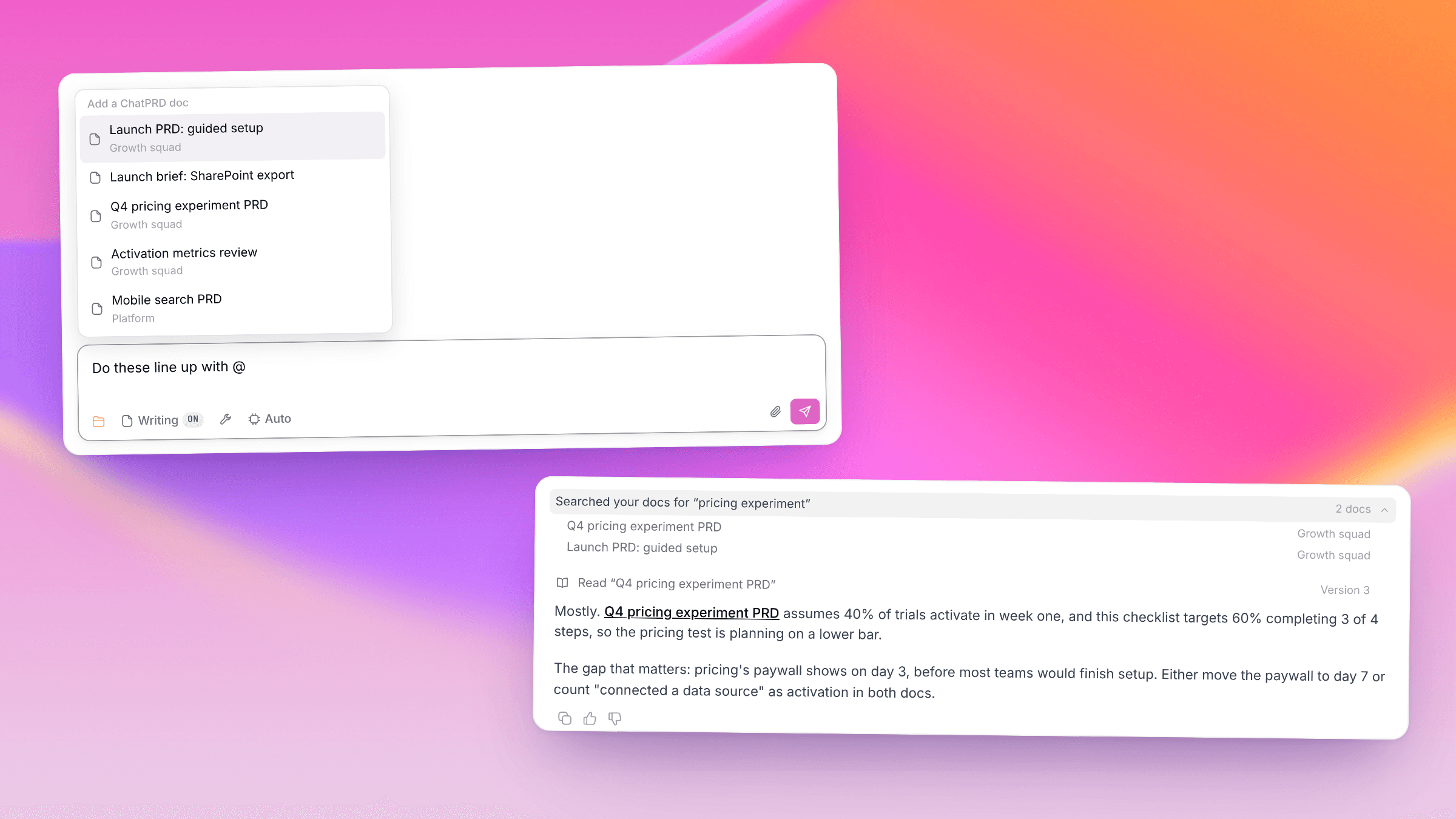
Working on something that builds on another PRD? Type @ in the chat box to find and attach your ChatPRD docs. They'll stay in the chat's document list so you can come back to them.
ChatPRD can also search for relevant docs on its own, starting with your project, and link the docs it mentions. Try asking it to check whether your launch brief lines up with your pricing PRD.

Bring a doc into your next chat →
⌘ Tell Cmd+K what you want to do
Open Cmd+K (Ctrl+K on Windows) and try “turn the onboarding checklist PRD into a prototype.” ChatPRD suggests an action and the doc to use. Press Enter to continue in chat with an editable draft, or choose Send now to get started right away.
You can also use it to brainstorm, research, open or pin a chat, and jump to settings. One request, one action.

🎨 A fresh coat of pink
We've brought the ChatPRD website's colors into the app, with a coral, pink, and violet gradient on the home screen and a little more pink throughout. Come take a look!

🔌 Find ChatPRD in your favorite AI tools
We've updated Settings → Integrations → MCP with setup for ChatGPT, Cursor, Grok Bot, Codex, Claude Code, Claude, and more. Choose your tool and follow its setup to connect your ChatPRD account. MCP access is available on Pro.

🛠 A few fixes, too
The billing portal now opens regardless of subscription status, and we've fixed assistant replies disappearing when older chats load.
🎙 How I AI
If you missed this week's episodes, catch up on my Claude Duet review and Brooke Lacey's video-editing workflow:
Putting Claude Duet to work. I tried Anthropic's new personal agent on my inbox, Slack, a sales deck, and even finding Warriors tickets for my kids. The design is beautiful, but I wanted it to be faster and more proactive. Watch the real tasks to see where it helped and where I got stuck.
Turn phone footage into a captioned short. Brooke Lacey shows how she uses Claude Code, FFmpeg, and Whisper to make cuts, add captions, and place graphics. The fun part: the edit lives in a text file. Her timing and taste still do a lot of the work.
Read Brooke's video-editing workflow →


