Give everyone on your team an expert PM
Shared projects, real-time comments, chat branching, and seamless handoff to engineering and design. ChatPRD makes your whole team better at product.
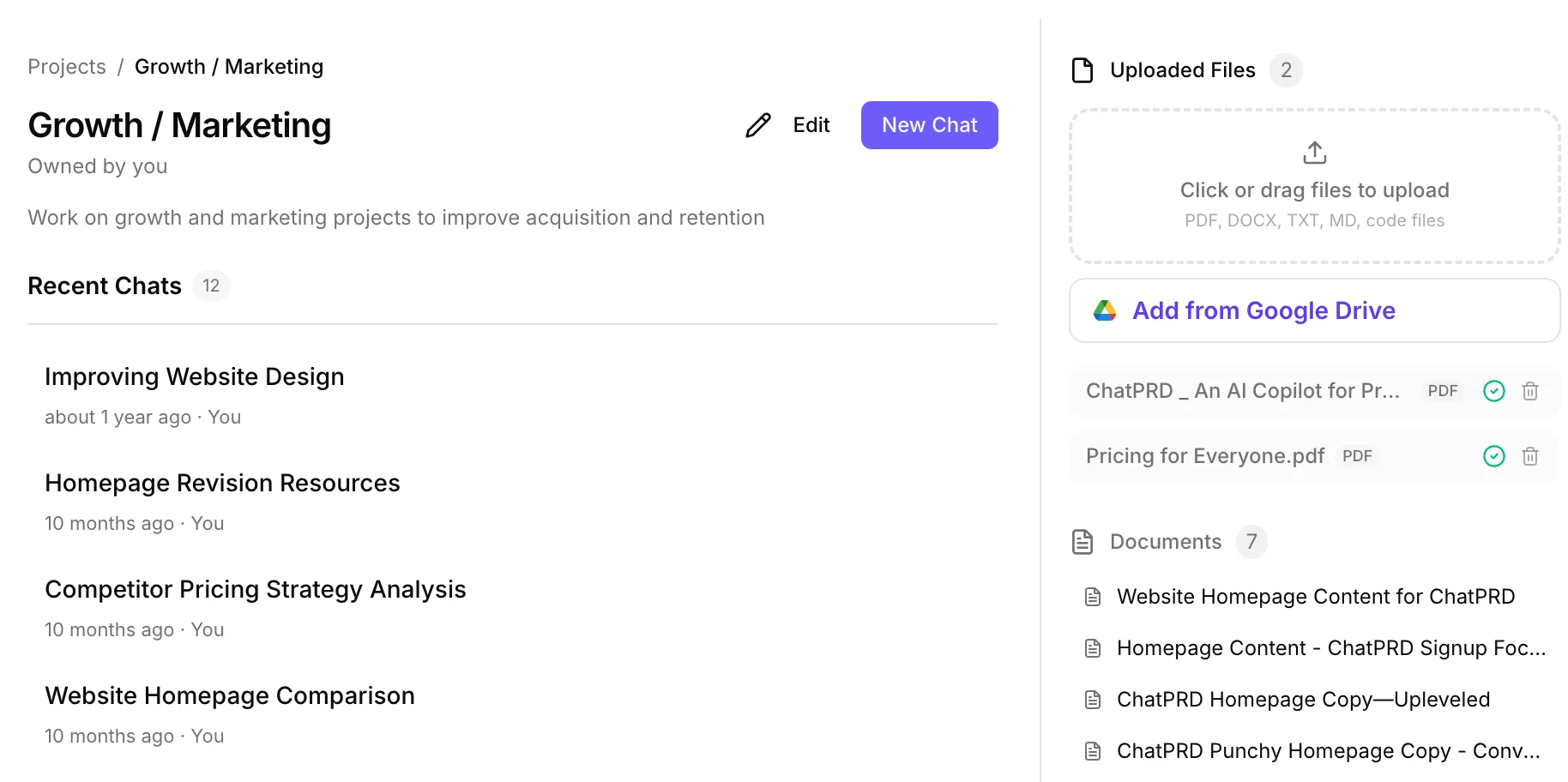
One source of truth for your team's product knowledge
Create shared projects where your entire team has access to the same context, documents, and conversation history. Upload research, past specs, and reference materials that persist across every chat.
- Shared project spaces with persistent context and files
- Upload PDFs, presentations, and research for team-wide access
- Every team member gets the same context — no information silos
- Organization workspaces with per-team permissions
Review and iterate on docs together
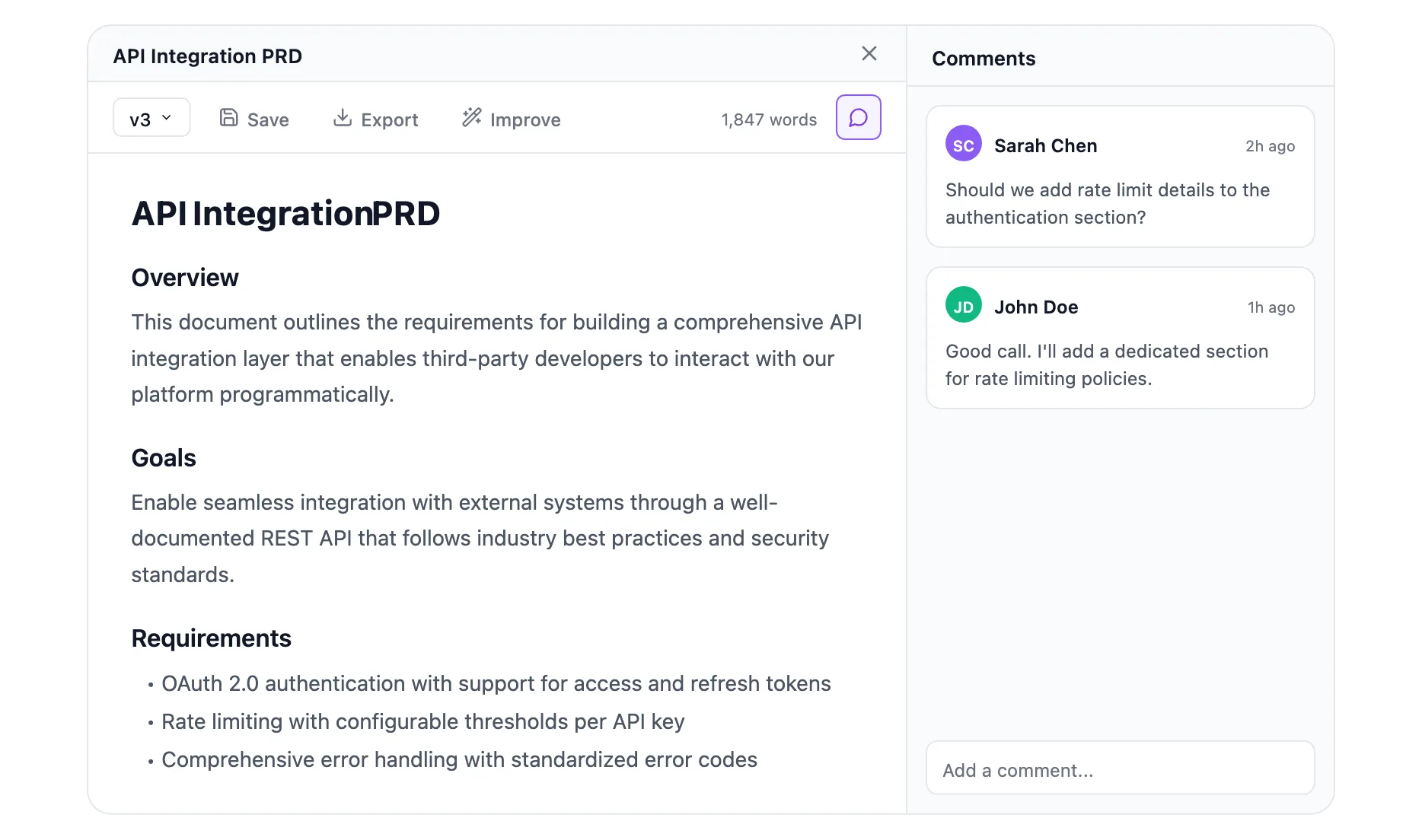
Add comments directly on ChatPRD documents. Tag teammates for review, leave feedback on specific sections, and track changes across versions. The feedback loop that used to take days now happens in minutes.
- Inline comments on any document section
- Tag teammates for review and feedback
- Document versioning with compare and restore
- Share direct links to specific doc versions
How teams use ChatPRD together
Every role gets the tools they need — and the context everyone shares.
PMs write and coach
Generate PRDs, get AI coaching, and share polished specs with the team. Custom templates keep everyone aligned on format.
Engineers build from specs
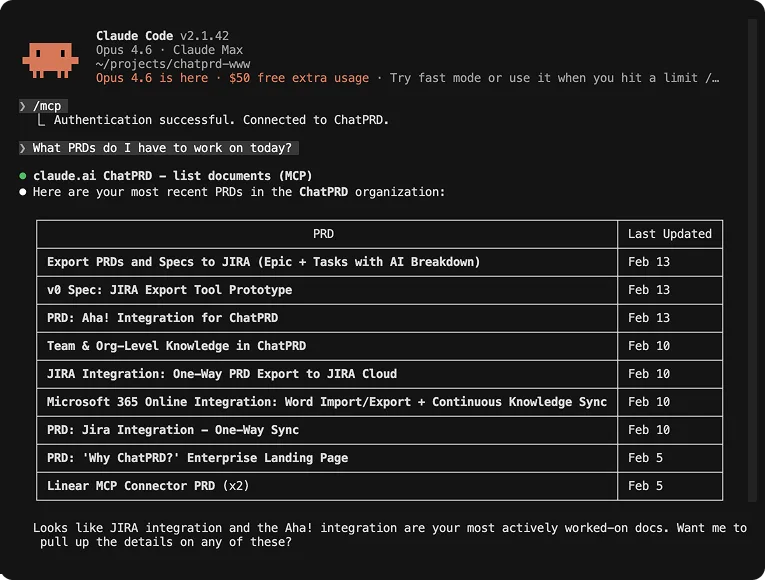
Access PRDs via MCP in your IDE. Push specs to Linear as tickets. Always know what to build and why — without leaving your editor.
Designers prototype from PRDs
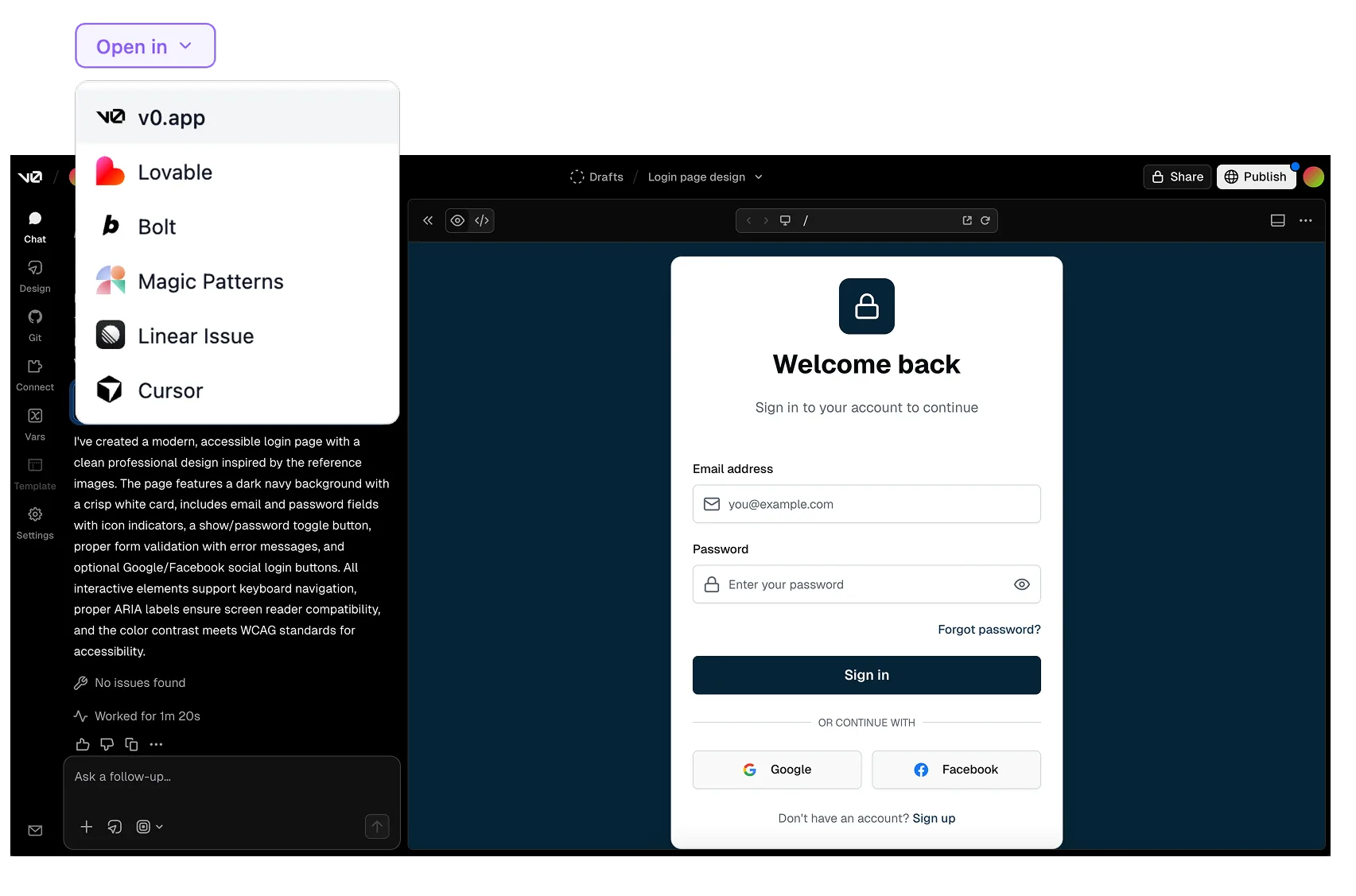
Push specs to v0 or Lovable to generate prototypes. Turn research into requirements. Bridge the gap between design and product.
Specs that flow directly into your engineering tools
Push finished PRDs to Linear as tickets, share via Slack, and let engineers access product context directly in Cursor and VS Code via MCP. No more 'where's the latest spec?' in Slack.
- Push PRDs to Linear as ready-to-build tickets
- MCP integration for Cursor, VS Code, and Claude Desktop
- Share docs via Slack with team notifications
- Export to Notion and Confluence for async alignment
From specs to prototypes with your design team
Designers can generate prototypes directly from ChatPRD specs using v0, Lovable, and Cursor. Research flows in, requirements flow out, and prototypes come back — all without switching tools.
- Generate UI prototypes with v0 from any PRD
- Build interactive MVPs with Lovable
- Share user research and personas across the team
- Design requirements with acceptance criteria engineering can build from
Before and after team ChatPRD
What changes when your whole team has access to an AI PM.
- Specs live in Google Docs — nobody can find the latest version
- Engineers ask 'what are we building?' in Slack every sprint
- Designers create requirements in Figma comments
- Junior PMs produce inconsistent, incomplete docs
- Context scattered across 5 different tools
- Shared projects with version history and direct links
- Engineers access specs via MCP in their IDE
- Designers generate requirements and prototypes from one place
- Every team member produces senior-level work with AI coaching
- One source of truth with persistent team context
“ChatPRD isn't just for PMs anymore — our engineers use MCP to pull specs into Cursor, and designers generate prototypes from PRDs. It's become the connective tissue for our whole product team.”
Start shipping
better products.
Join 100,000+ product managers who use ChatPRD to write better docs, align teams faster, and build products users love.